
Two revisions, one question: what changed?

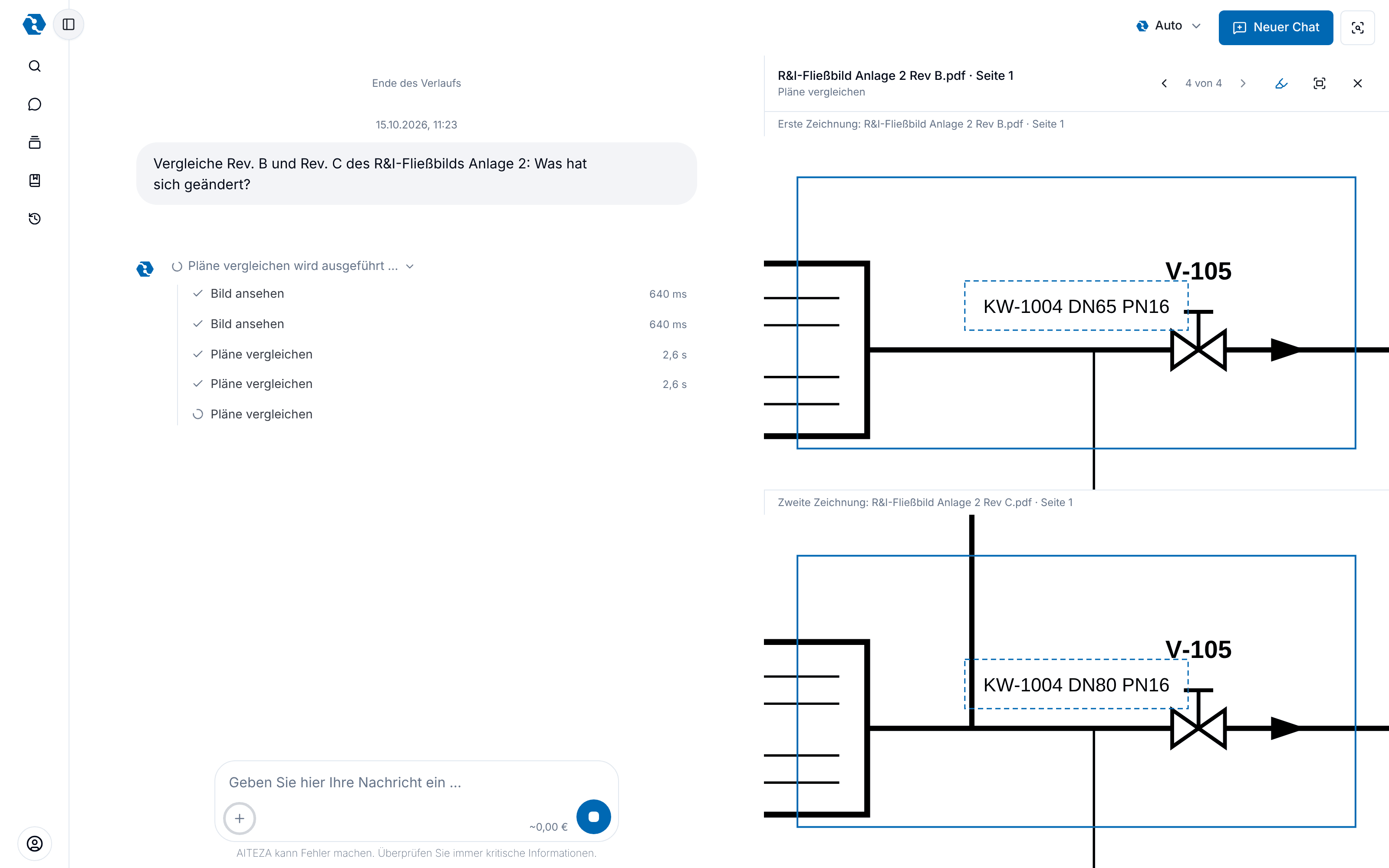
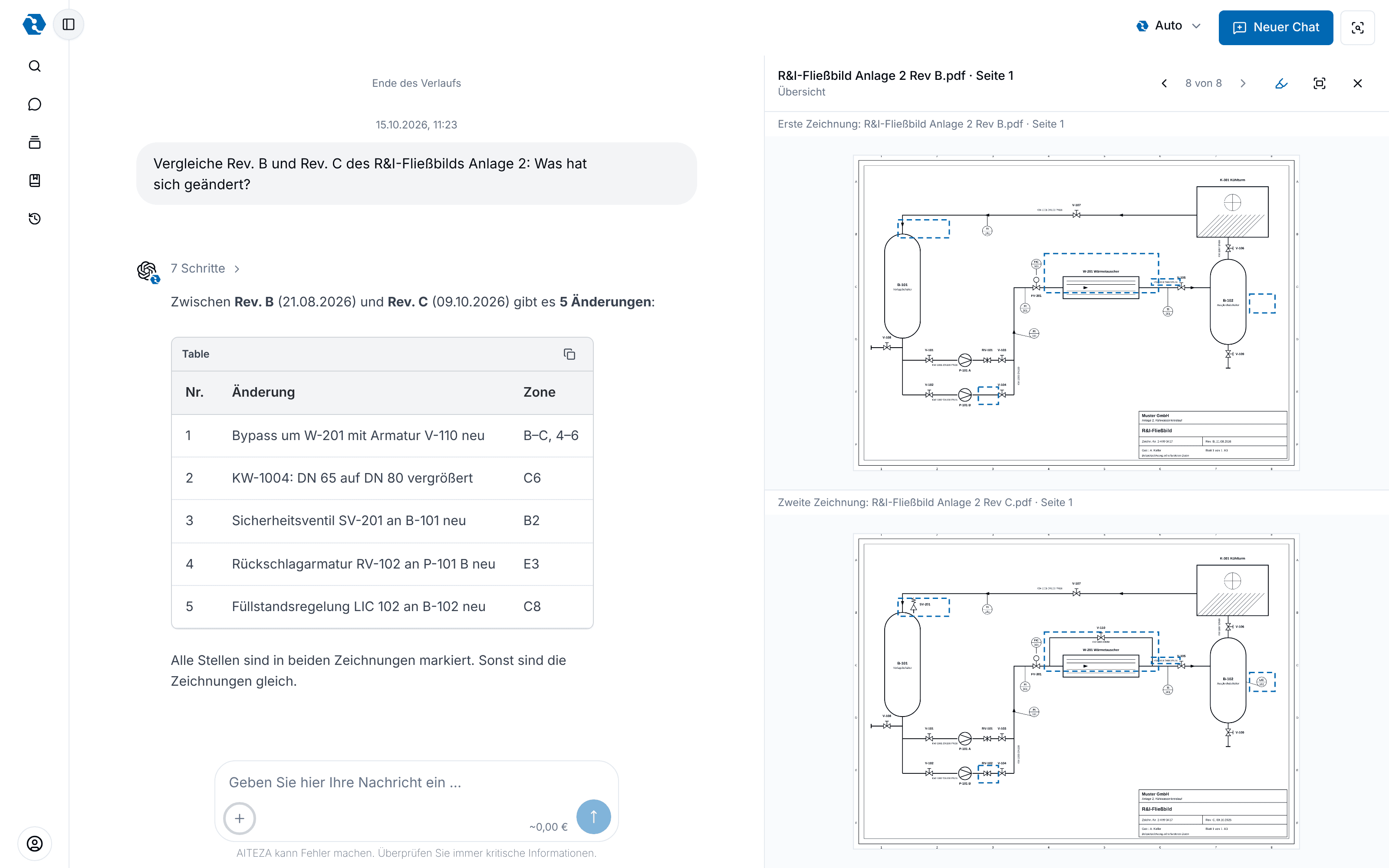
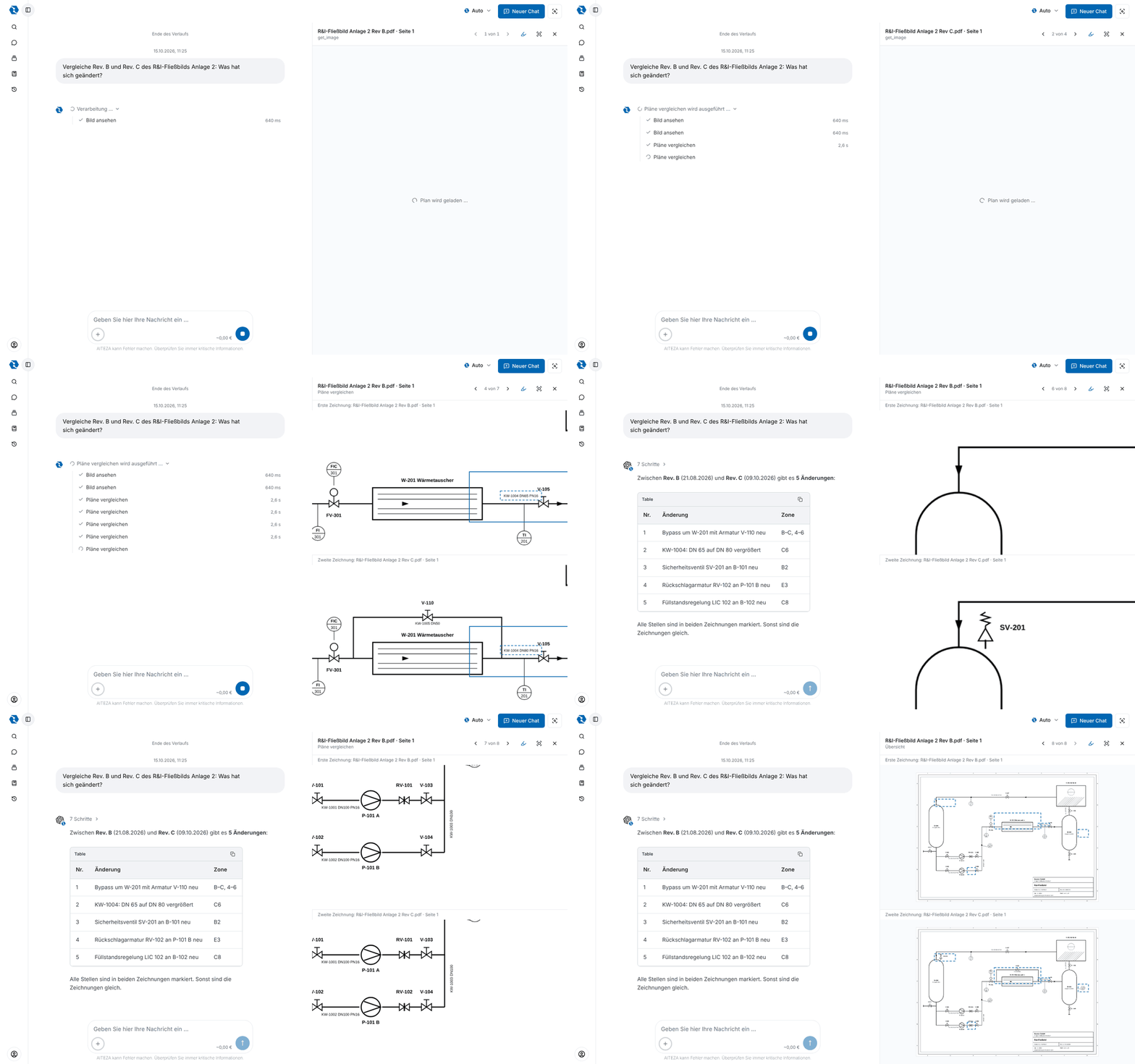
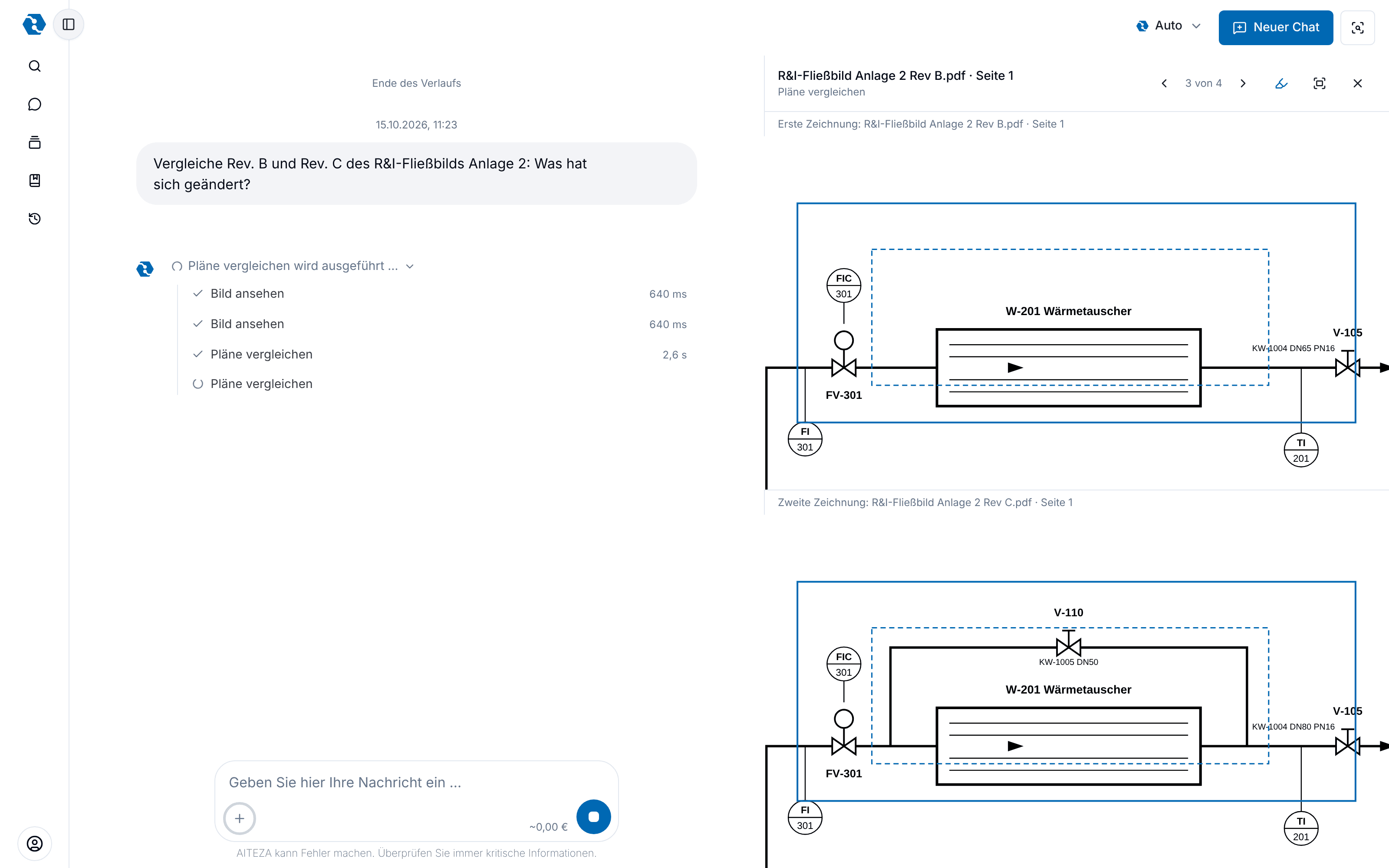
When a new revision of a drawing arrives, someone has to find out what is different, and a small change like a nominal diameter is easily missed. AITEZA compares both sheets area by area, shows them one above the other with every difference marked in both, and lists the changes with their location. Revisions of a drawing stay in the dataroom, so earlier states remain available.

Why you need it

  • Small changes are found too

    A nominal diameter that went from DN 65 to DN 80 or a check valve that was added is hard to see by eye. AITEZA looks at the same area of both sheets and notes every difference.

  • Both sheets side by side

    The live view shows the old and the new revision one above the other, at the same spot and with the same marking. You see each change in context.

  • A list you can work with

    The answer lists every change with a short description and its location on the sheet, ready for a review meeting or a change note.

  • Earlier revisions stay available

    New revisions of a drawing are kept as versions in the dataroom. You can ask about the current state or compare it with an earlier one.

Skip the animation

How it works

Stadtwerke LindauPlant 2Drawings
Rev. BRev. CHide changesV-101V-105V-103DN 65B-101B-102W-201V-101V-105V-103V-110SV-201DN 80B-101B-102W-2015 changesNew bypass around W-201 · V-110KW-1004: DN 65 to DN 80New safety valve SV-201 · B-101+ 2 more
06All changes in one list, marked in both drawings.

What AITEZA can do

  • Compare two revisions of a drawing, as PDF or image
  • Both sheets shown one above the other with the changed areas marked in both
  • Added, removed and changed items, including text such as dimensions and tags
  • List of changes with a description and the zone on the sheet
  • Live view with history, to step through every difference
  • Versions of a drawing in the dataroom, to compare against earlier states

Use cases

How teams use this feature in their daily work.

01

Review a new revision before release

The situation
A new revision of a P&ID arrives and the project engineer has to confirm what changed before it is released. Looking at two large sheets side by side takes long, and nobody wants to miss a change.
How AITEZA helps
AITEZA compares the two revisions, marks every difference in both sheets and lists the changes. The engineer checks the marked spots instead of searching the whole sheet.
02

Hand over a change list to the next trade

The situation
The next trade needs to know which parts of a drawing it has to re-check after a revision. A full re-check of the sheet costs time.
How AITEZA helps
The list of changes with zones tells the next trade where to look.

03

Find the change behind a deviation

The situation
On site something does not match the current drawing. The question is whether an earlier revision looked different.
How AITEZA helps
Because revisions are kept, AITEZA compares the current drawing with the earlier one and shows whether and where they differ.

Bring two revisions of one drawing.

In a call we compare two revisions from your daily work and look at the changes together. 30 minutes, no obligation.

Weyer Data Engineering

A company of the

Ⓒ 2026 weyer data engineering