
AITEZA reads a large drawing the way you do: one detail at a time.

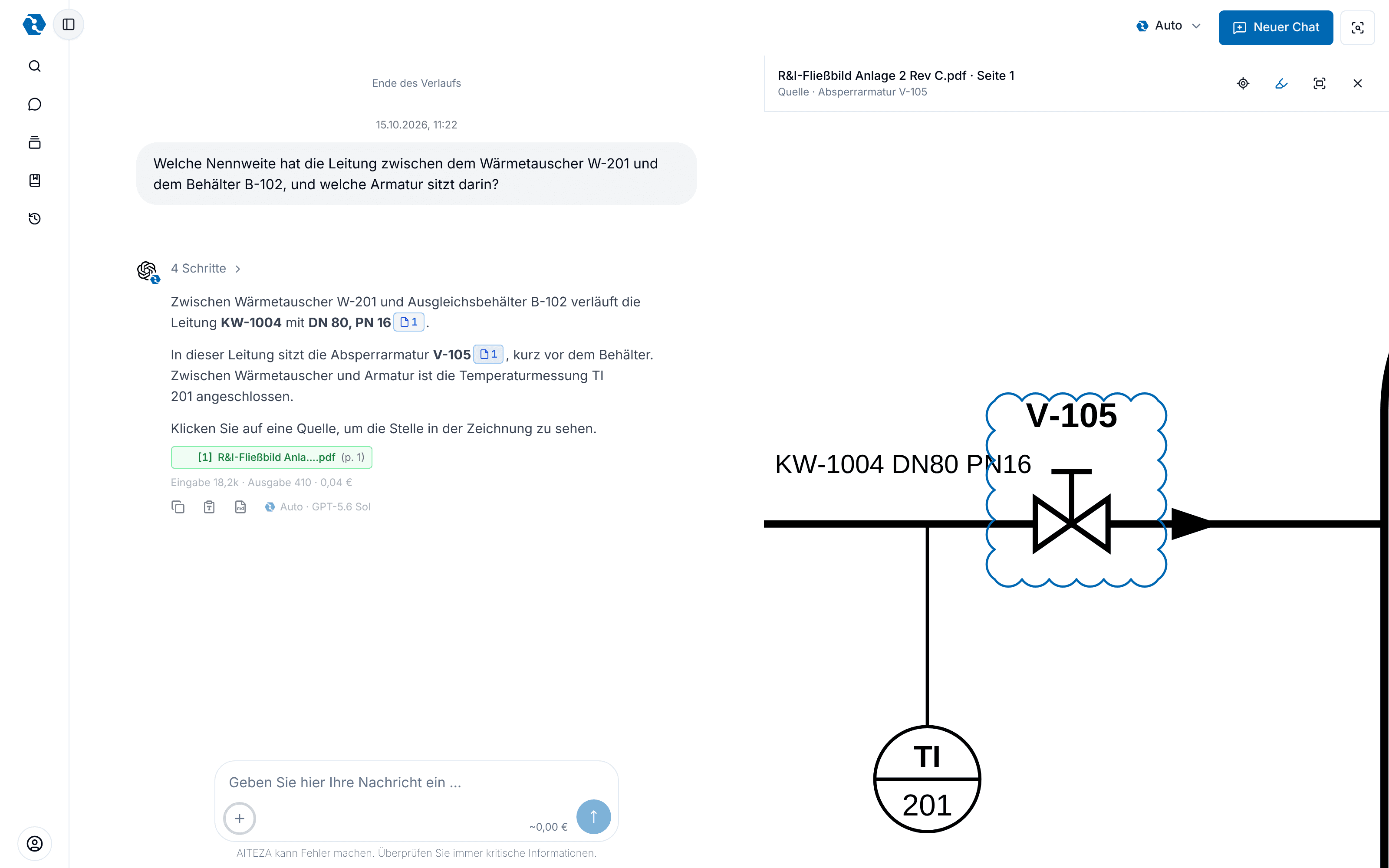
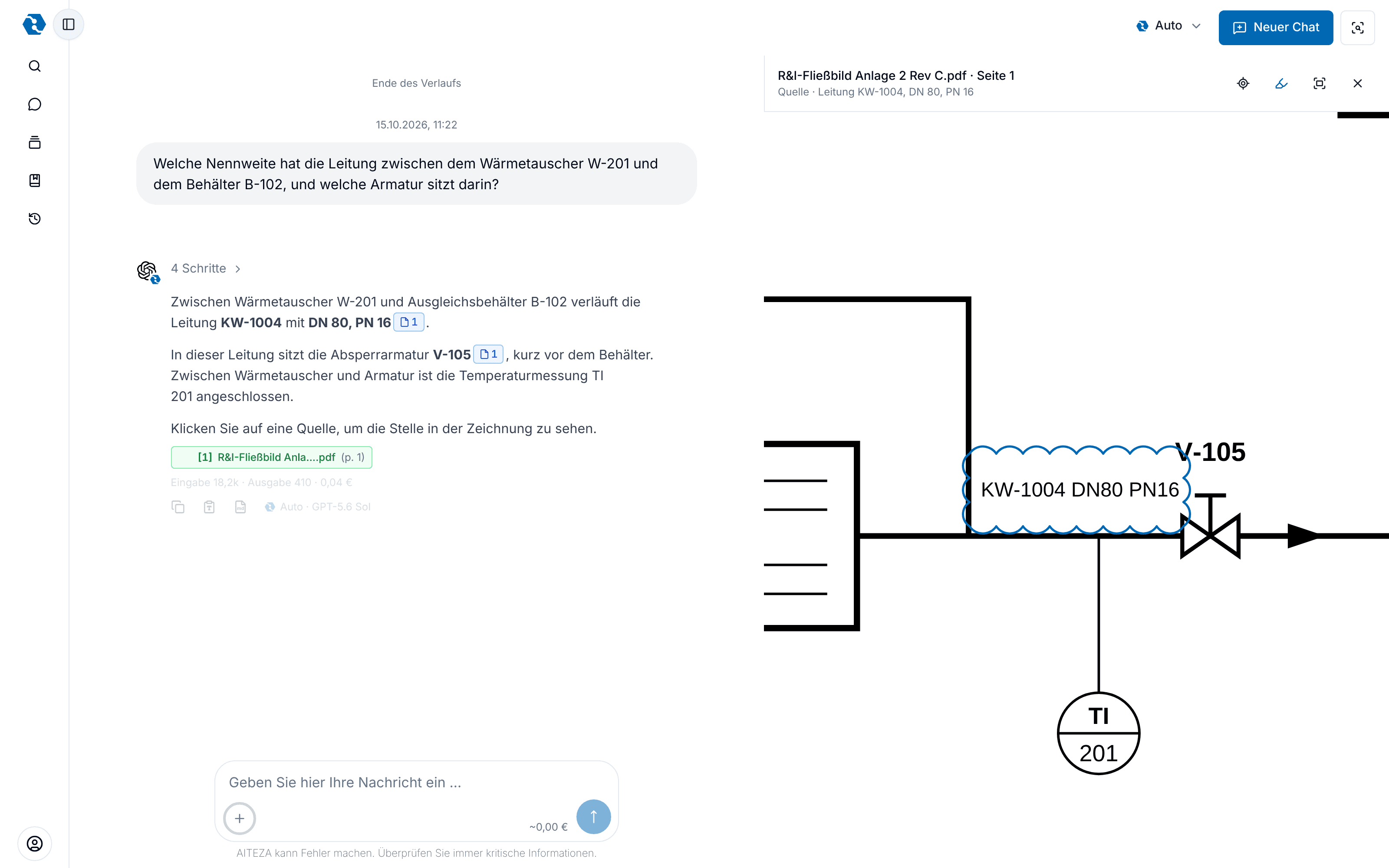
A P&ID or floor plan is too large to take in at a glance, for people and for AI alike. AITEZA zooms in, searches for labels, goes through the sheet area by area and keeps track of what it finds. You watch it work in a live view next to the chat, and every answer can point to the exact spot on the drawing, marked with a revision cloud.

Why you need it

  • Details stay readable

    AITEZA does not work from one shrunken overview image. It zooms into the area a question is about, so small labels, line numbers and dimensions can still be read.

  • Nothing gets skipped

    For counting and listing, AITEZA goes through the whole sheet area by area and notes every finding with its position. You see which areas are done and what was found.

  • You see where it looks

    The live view shows the drawing next to the chat: where AITEZA zooms in, what it searches for and what it marks. You can step back through every view or move the drawing yourself.

  • Every statement can be checked

    A source in the answer opens the drawing at the cited spot and marks it with a revision cloud. You do not have to search the sheet to verify a value.

Skip the animation

How it works

Stadtwerke LindauPlant 2Drawings
P&ID plant 2 Rev C.pdfHide findingsV-101V-105V-103V-110SV-201DN 80B-101B-102W-201V-105KW-1004 · DN 80Which valve is in lineKW-1004, and which DN?Tiles 1–3 of 6Tiles 4–6 of 6Zoom: KW-1004KW-1004 is DN 80, PN 16.V-105 sits before B-102.P&ID Rev C.pdf · p. 1
06The answer points to the exact spot, marked with a revision cloud.

What AITEZA can do

  • Zoom into any area of a large sheet
  • Search a drawing for labels, tags and line numbers
  • Go through a whole sheet area by area to list or count items
  • Live view next to the chat, with history of all views
  • Sources that open the cited spot, marked with a revision cloud
  • PDF drawings page by page, and images such as scans or photos
  • Findings marked on the full sheet as a final overview

Use cases

How teams use this feature in their daily work.

01

List valves with their tags

The situation
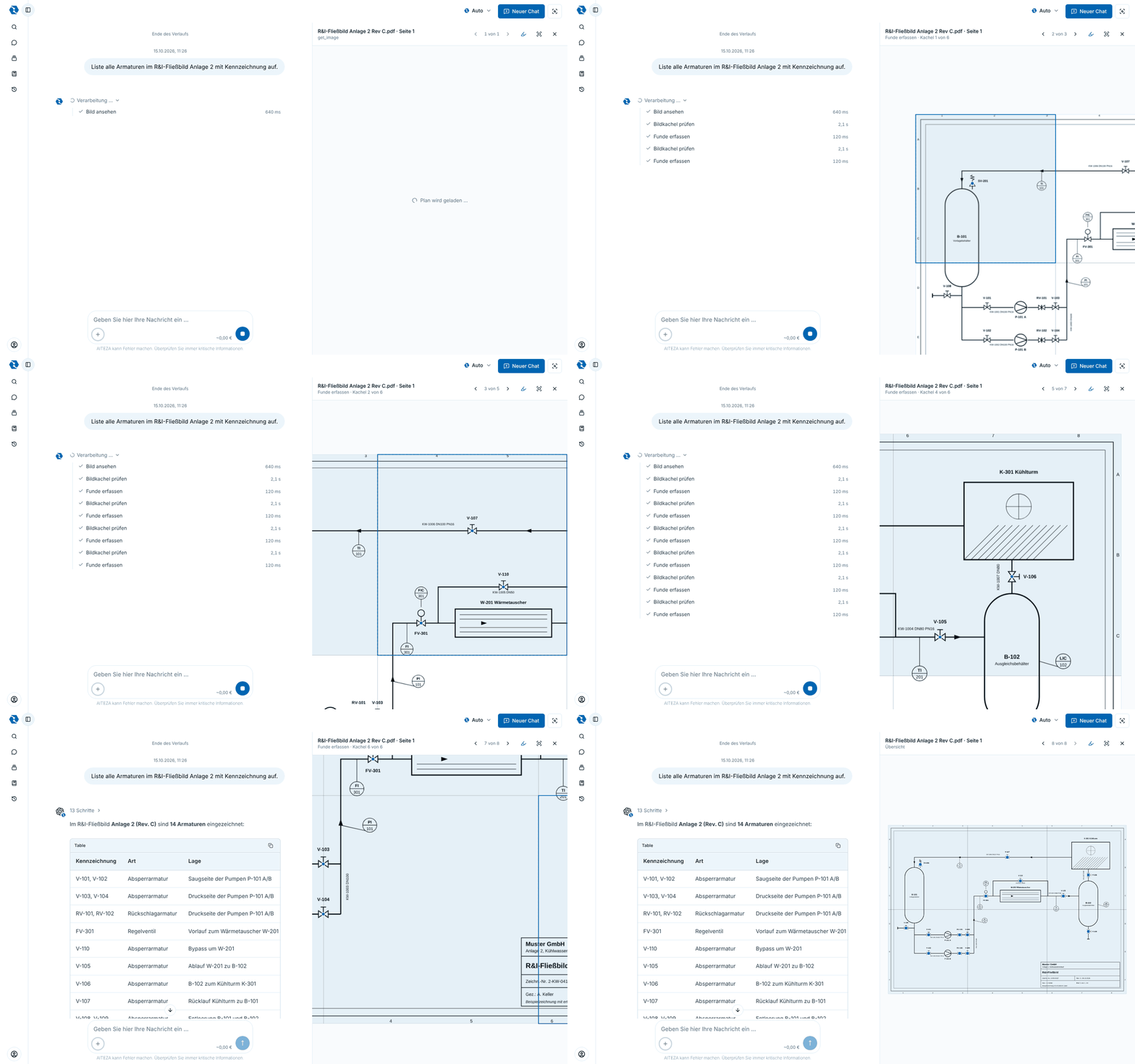
Before a maintenance shutdown someone needs every valve of a system with its tag. In the drawing they are scattered over the whole sheet, and counting by hand is slow and error-prone.
How AITEZA helps
AITEZA goes through the sheet area by area, notes every valve with its tag and position and lists them in a table. The overview shows all findings on the sheet.
02

Check the nominal diameter of a line

The situation
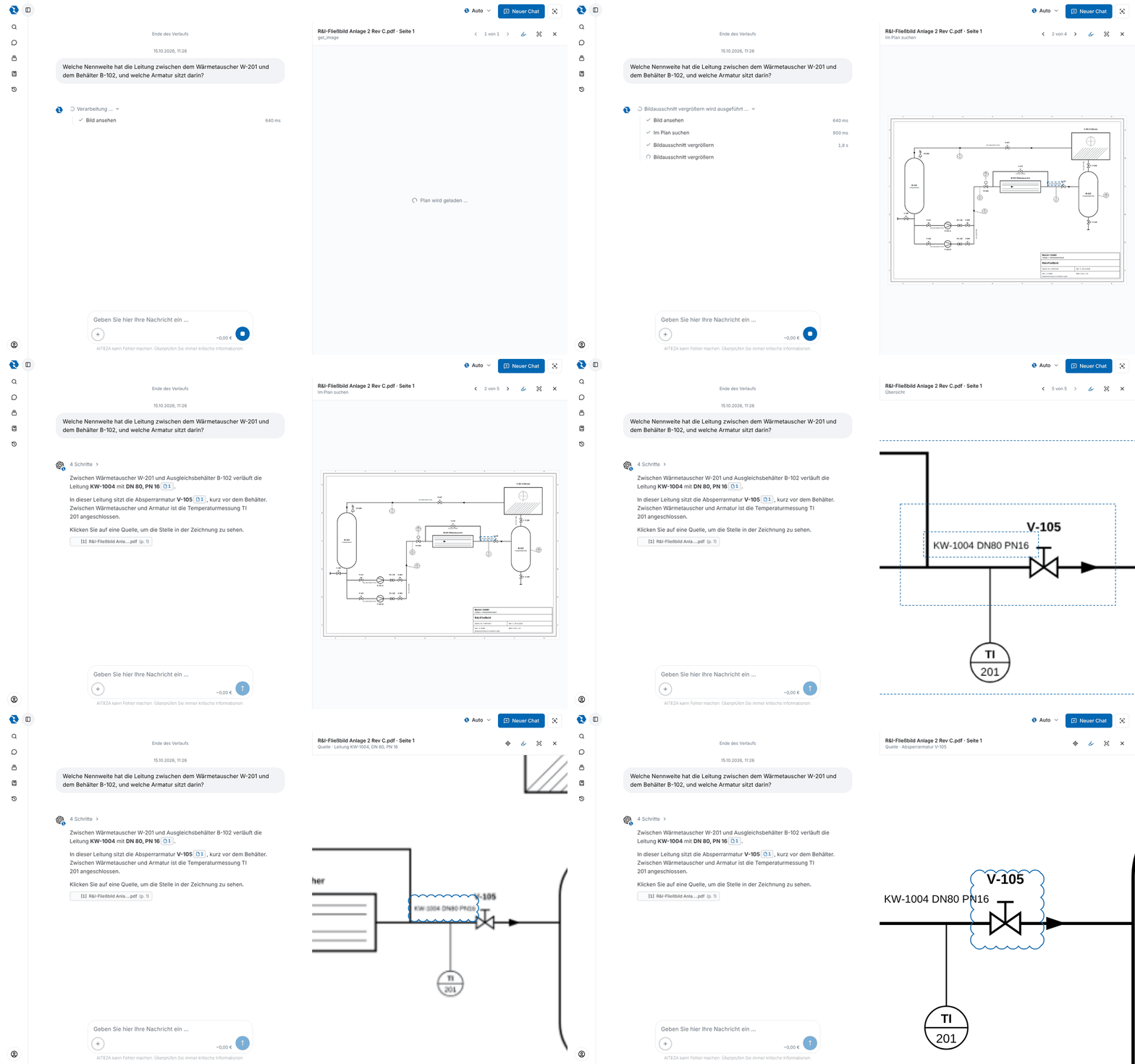
A line number and its nominal diameter are printed in small type next to the pipe. Reading them from the overview image is unreliable.
How AITEZA helps
AITEZA finds the line number, zooms in on the spot and reads label and neighbouring valve at full resolution. The source opens exactly this spot.

03

Prove a value to a colleague

The situation
A value from a drawing goes into a report or a decision. The reader wants to see where it comes from.
How AITEZA helps
Every cited detail opens in the live view with a revision cloud around it, the same notation used on drawings. Anyone with access to the dataroom can follow the source.

Bring one of your drawings.

In a call we load a drawing from your daily work and ask questions about it together. 30 minutes, no obligation.

Weyer Data Engineering

A company of the

Ⓒ 2026 weyer data engineering